Outils
Tolaria
Publié le
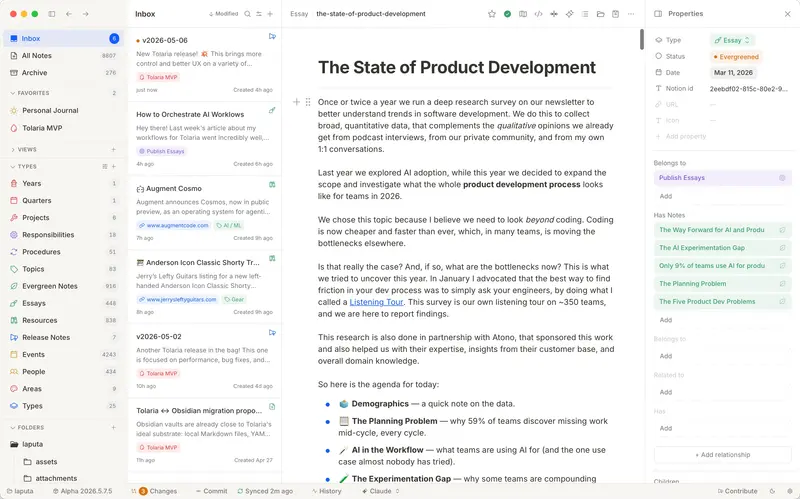
A second brain for the AI era. Free forever.
Organize your notes as Markdown files, with native relationships, Git, local agents, and direct AI model providers.
Open source, free forever, no account required
Architecture
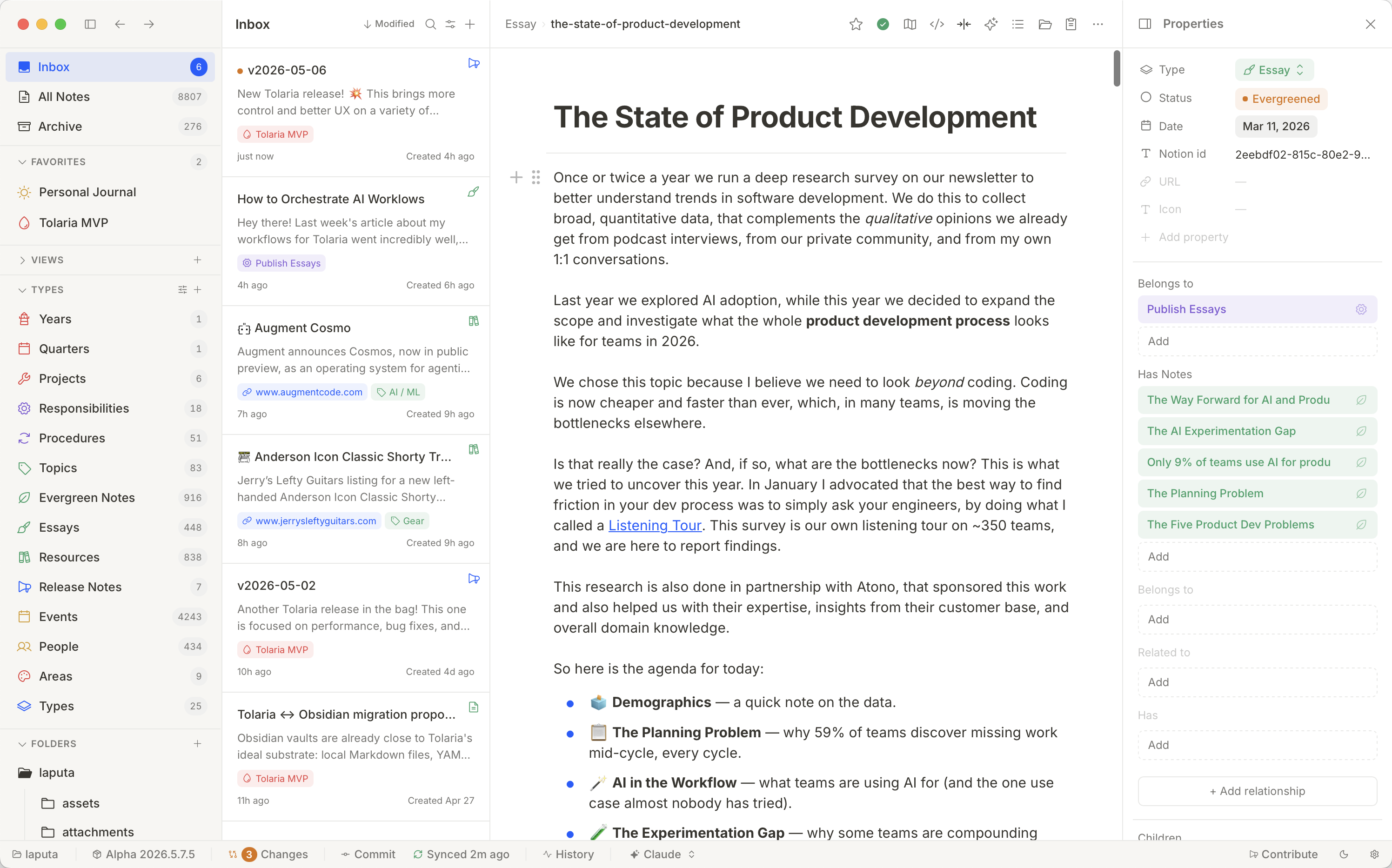
Just files on your disk
Every note is a Markdown file with a YAML frontmatter. No database, no proprietary format. Read them with any editor, grep them from the terminal, version them with Git.
Plain Markdown on disk
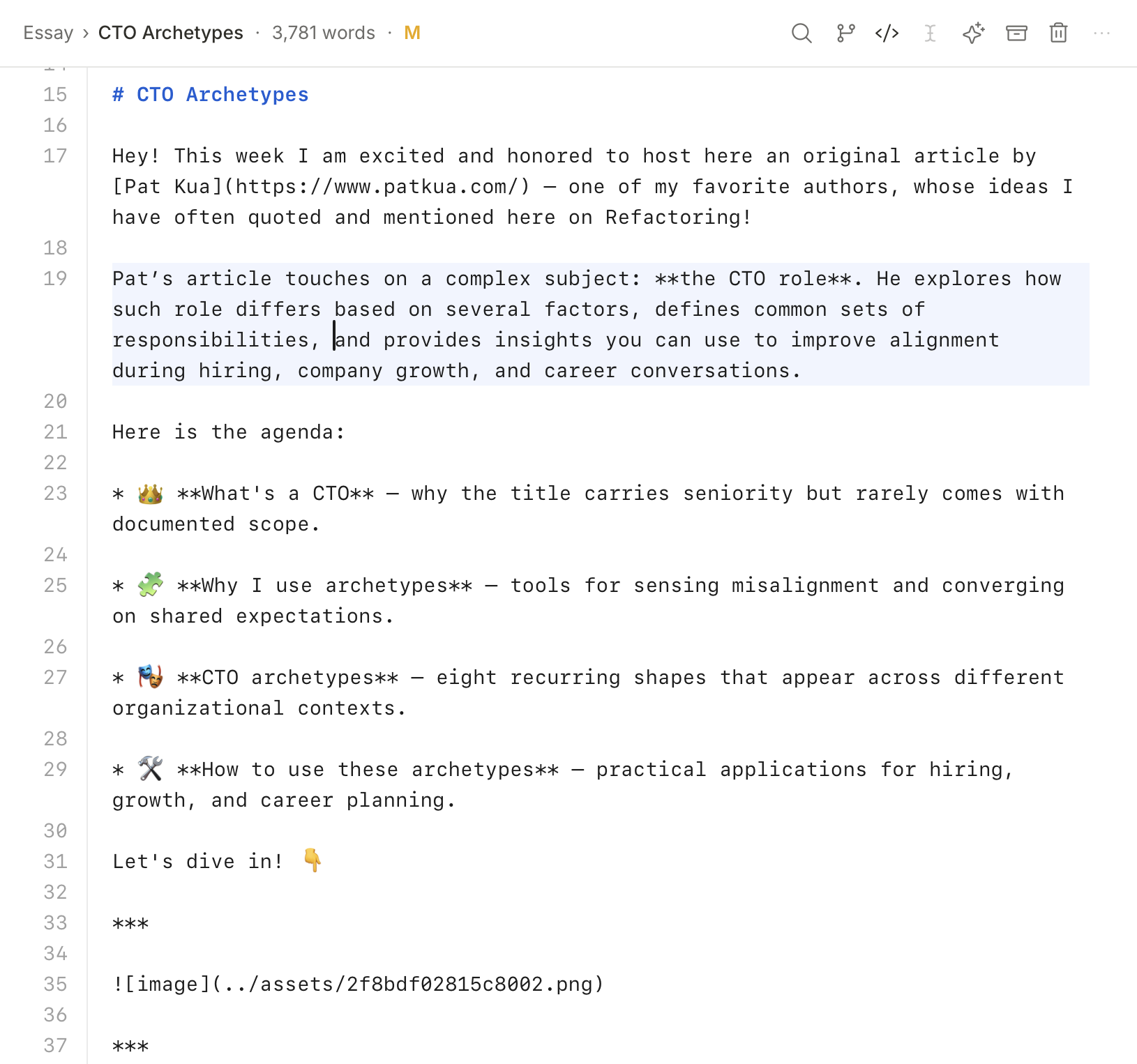
YAML frontmatter for structure
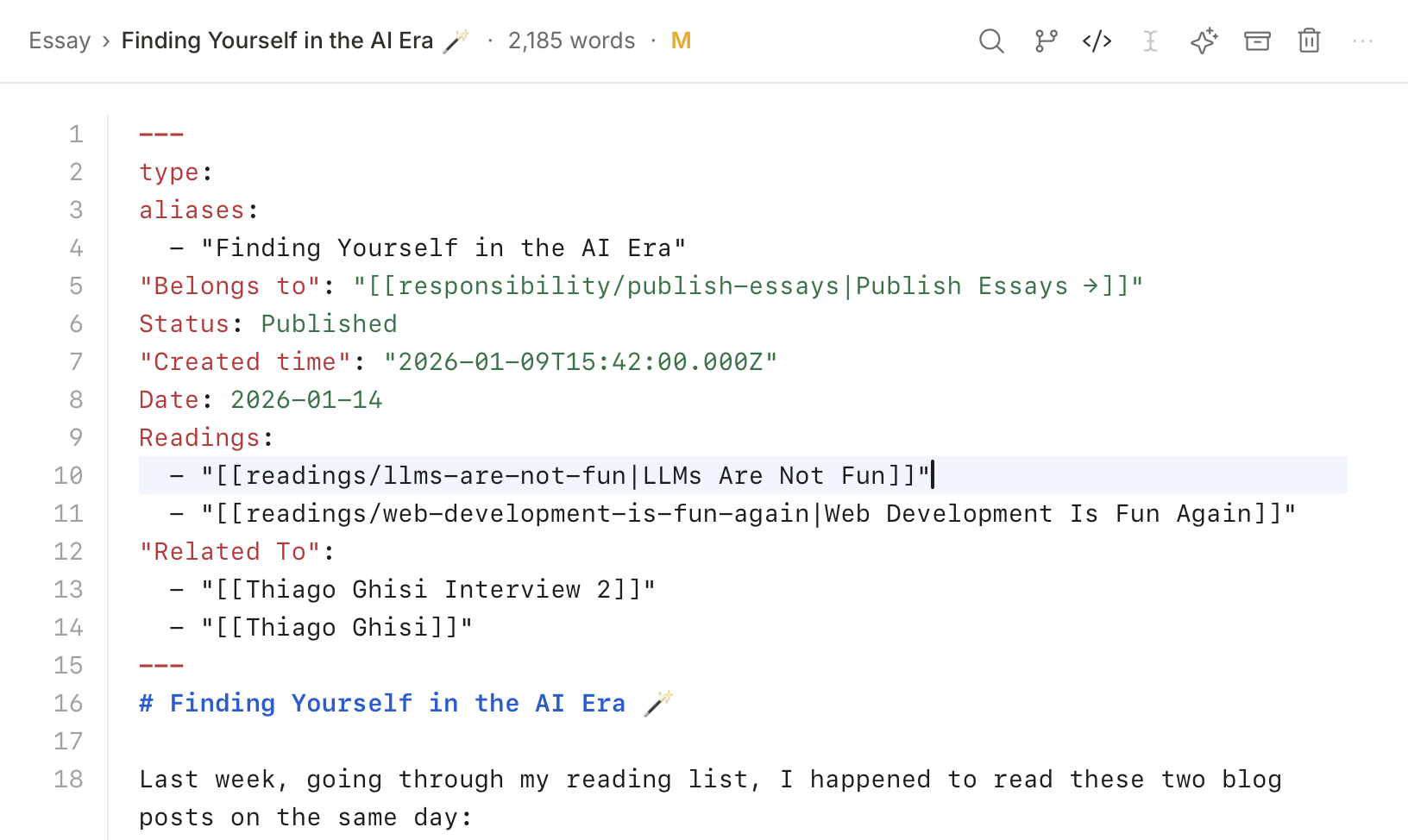
Editor
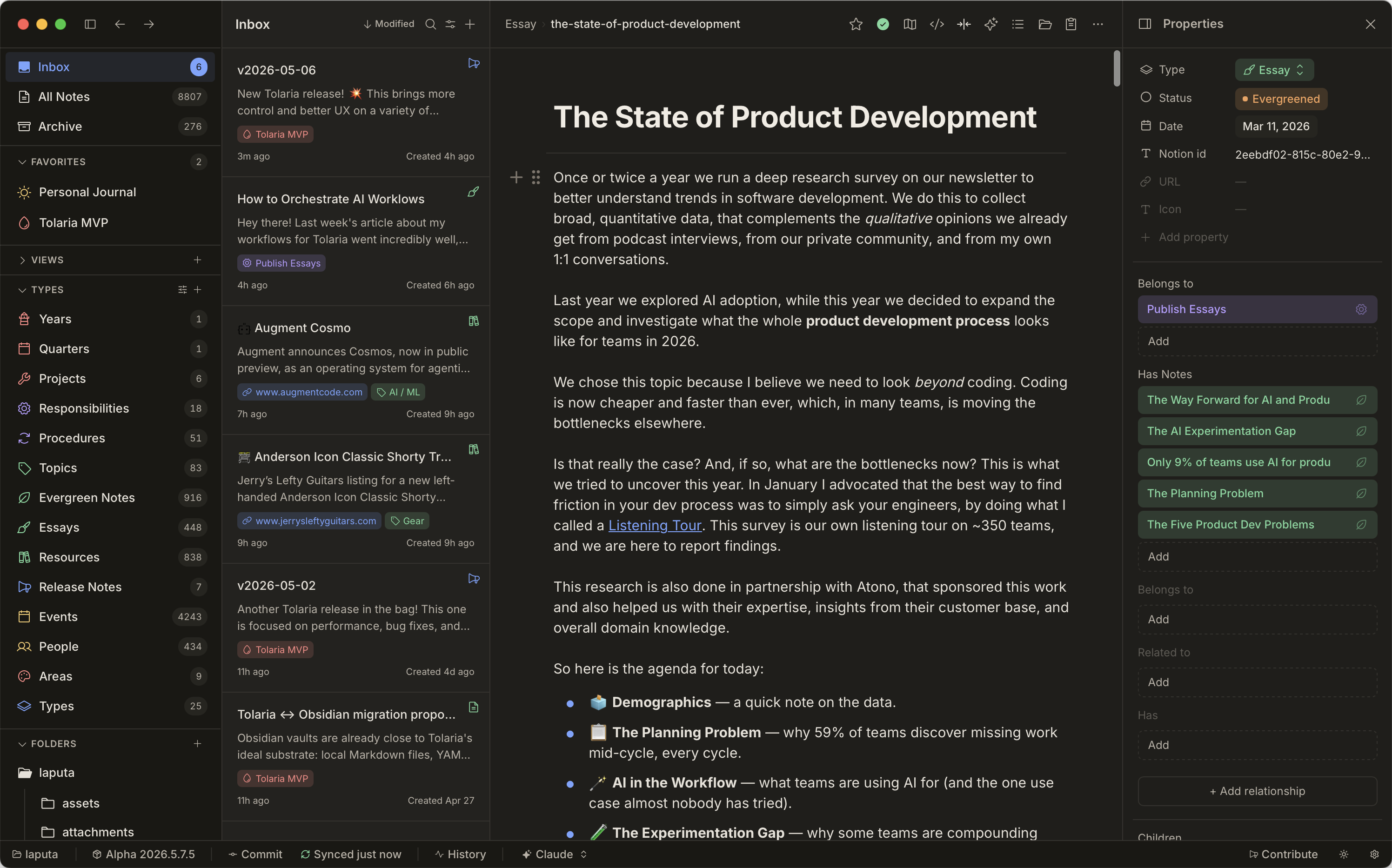
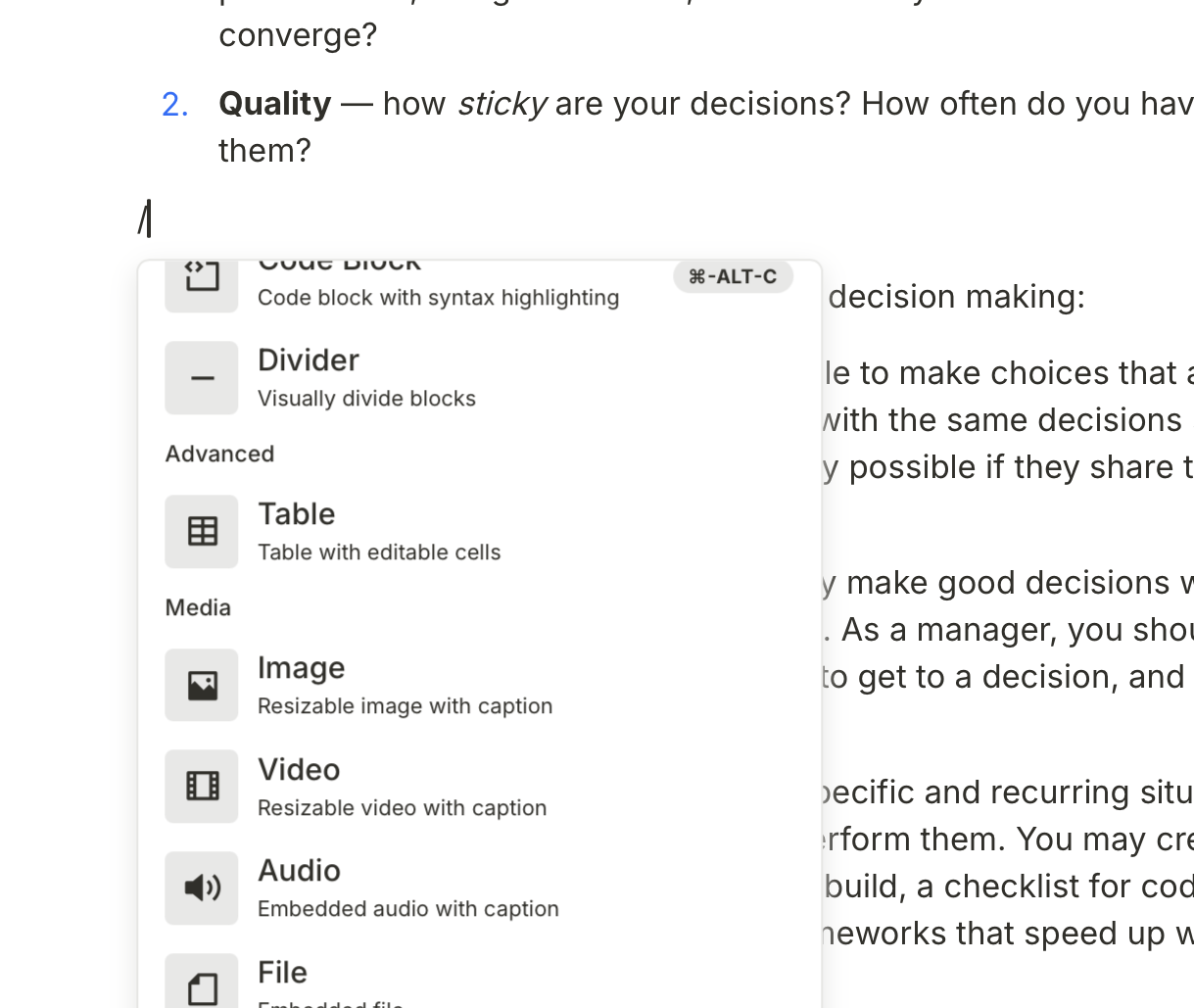
Writes like Notion, saves as Markdown
Block-based editing with slash commands, wikilinks, raw Markdown, whiteboards, media previews, table navigation, and note width controls. Everything durable stays in vault files.
Rich block editor
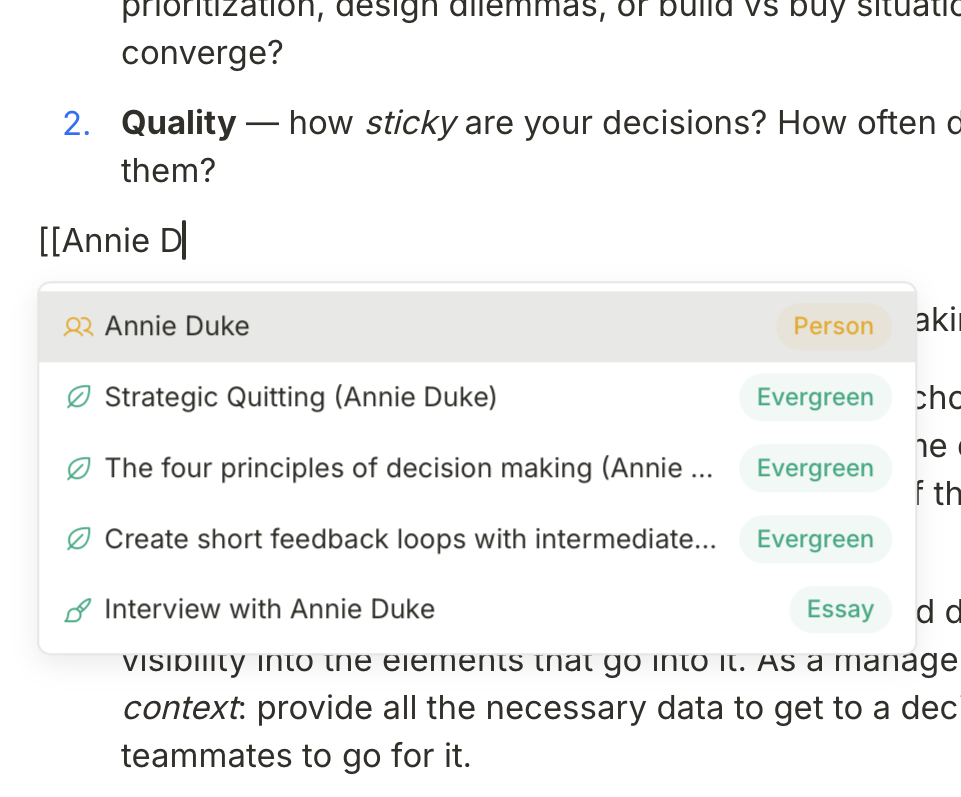
[[Wikilinks]] with autocomplete
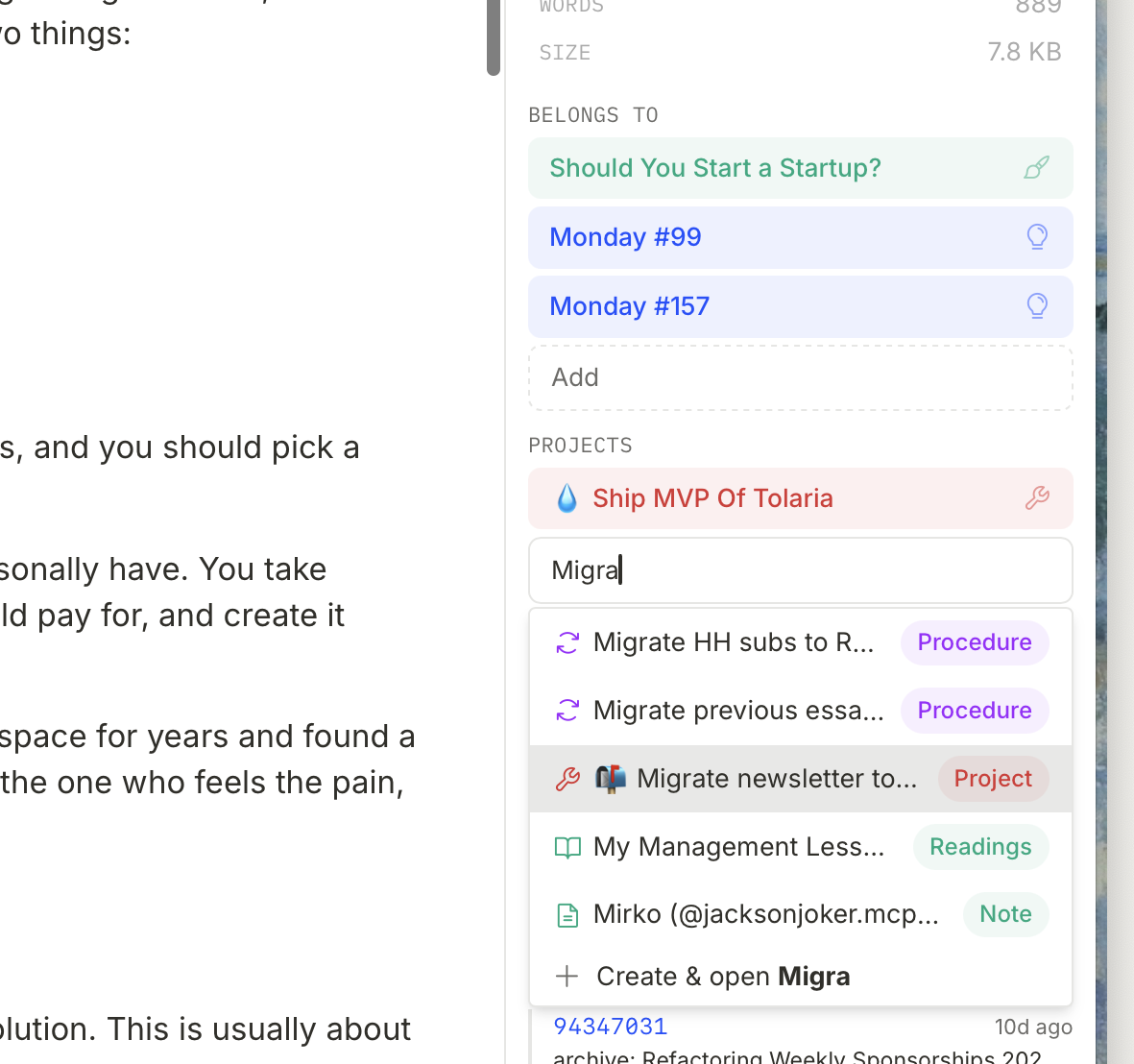
Rich relationships as first-class citizen
Version control
Fully integrated Git client
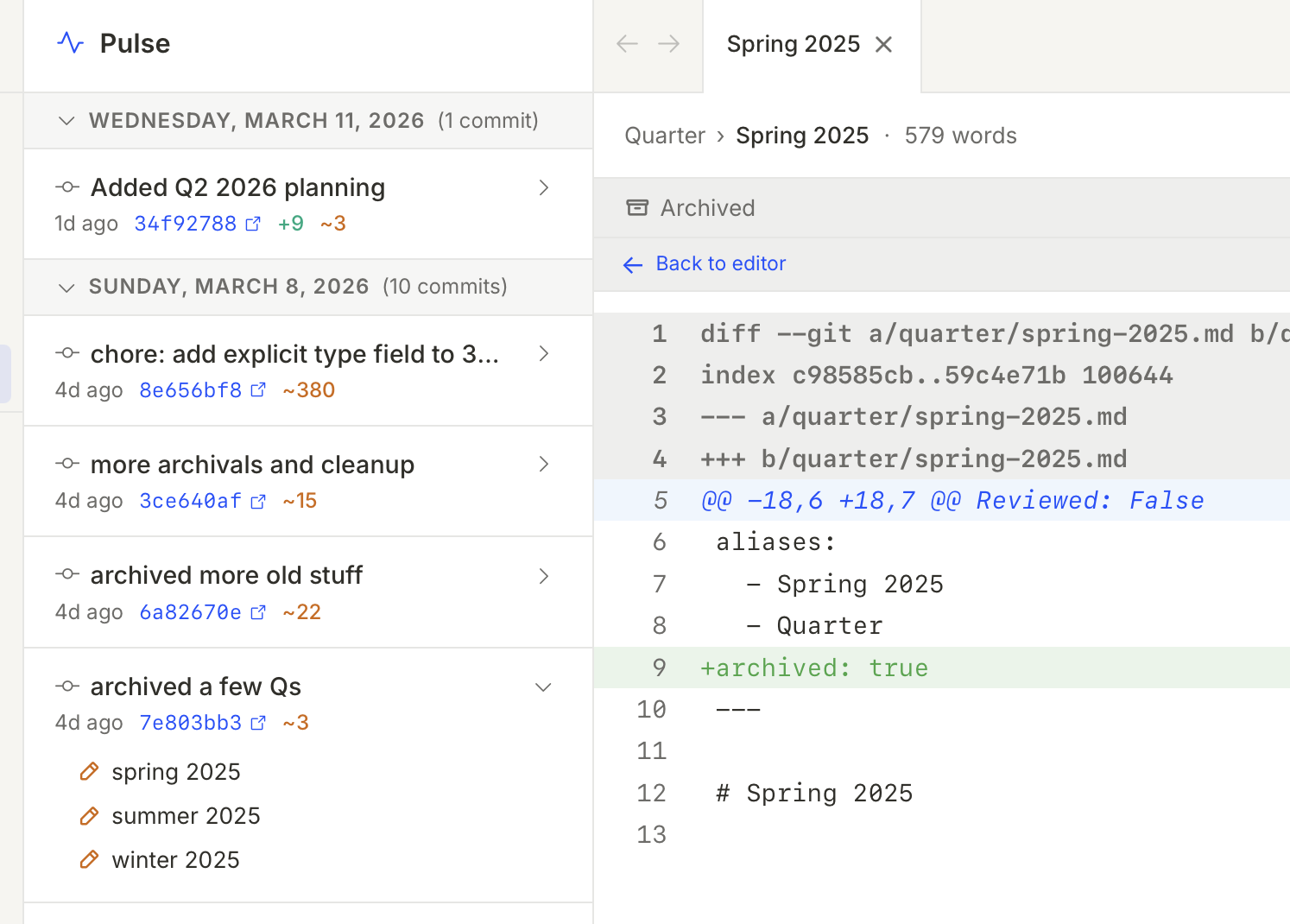
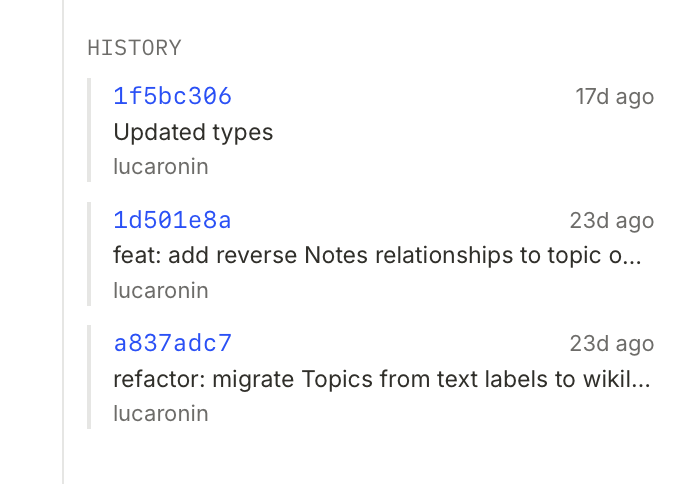
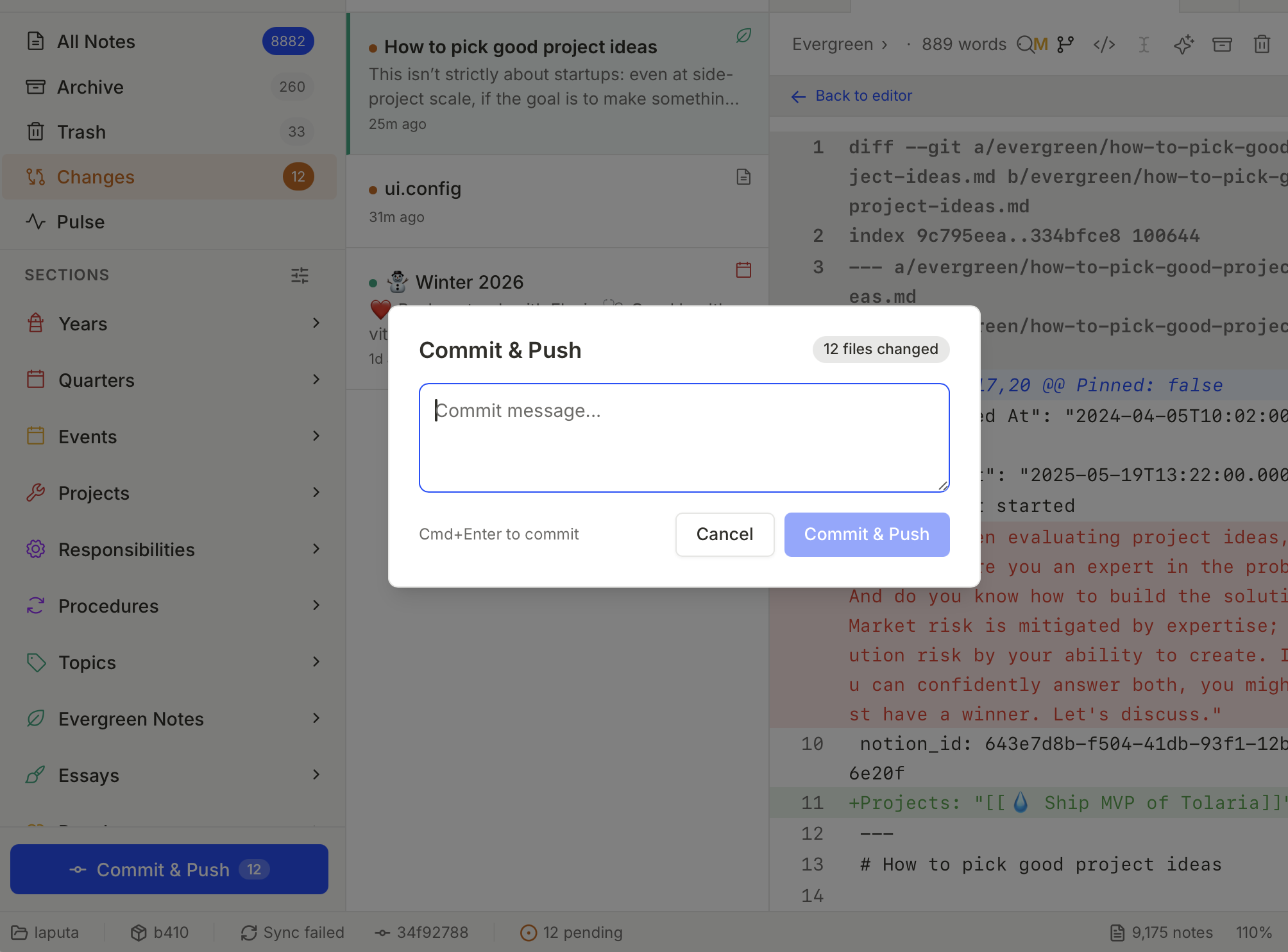
Commit, push, and browse history from within the app. Every change tracked. Sync across devices with the same tool you already trust for code.
Rich commit history, right in the app
Navigable version history per single note
Track changes, commit and push
AI
Local agents and direct models
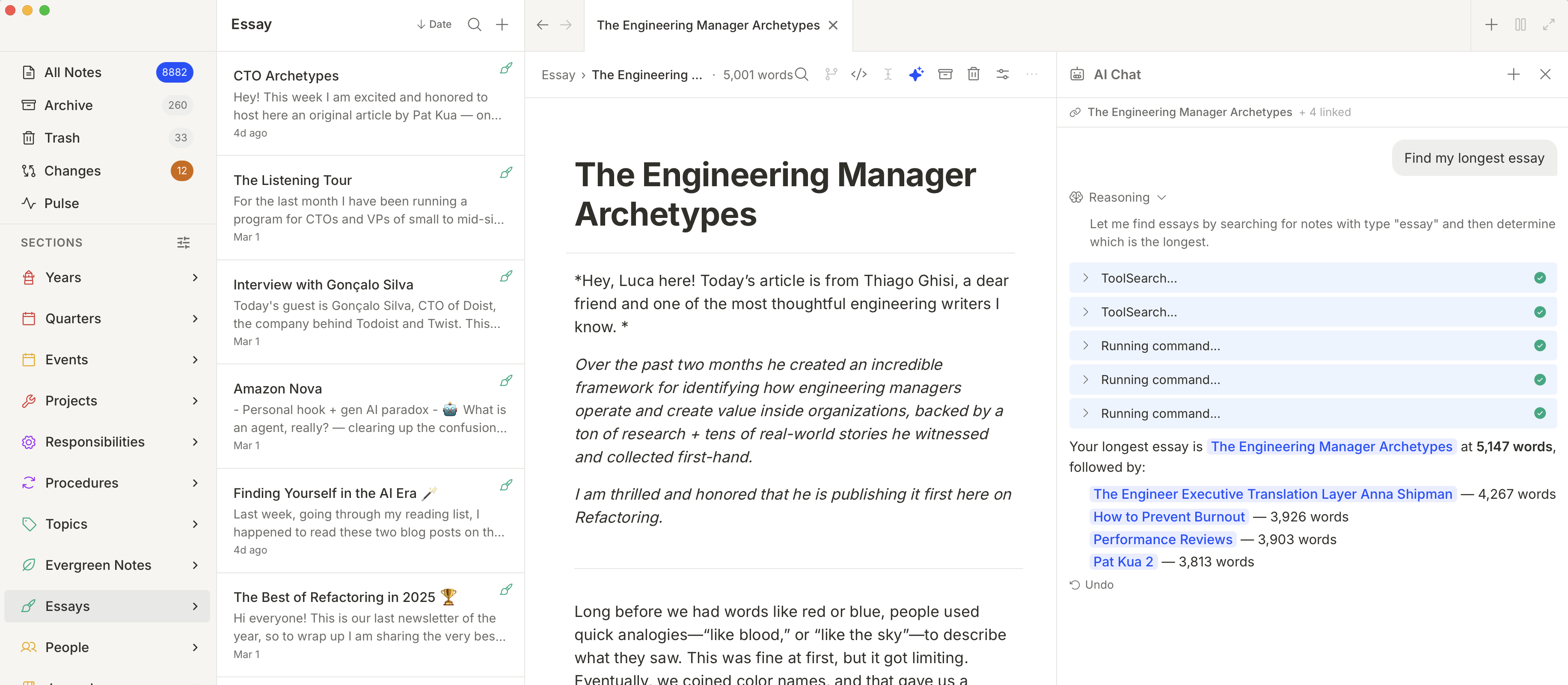
Use CLI coding agents such as Claude Code, Codex, OpenCode, Pi, and Gemini when you want tool-backed editing. Use local or API model providers for chat over note context without vault-write tools.
Sidebar with custom sections
Documentation
Learn the app the way it is built
The docs sit in the app repo so product behavior, architecture, and user-facing guidance can evolve together.
Start with a vault Install Tolaria, open the Getting Started vault, and understand the first-launch flow.Understand the model Learn how notes, properties, types, relationships, custom views, Git, and AI fit together.Follow workflows Capture notes, organize the inbox, use wikilinks, create types, push changes, configure AI, and navigate long notes.Keep docs current Use the maintenance checklist when code changes affect commands, models, integrations, or platform behavior.
Made with Love
Built by Luca, for Luca
Tolaria is the product of the learnings from 5 years of full-time content creation. I published 300+ articles and organized my knowledge into 9000+ notes.

Tolaria is born from 5 years of full-time writing at Refactoring, during which I have written 300+ articles about software engineering and developer productivity. Along the way, I amassed 9000+ notes on my Notion workspace, learned a lot about knowledge management, productivity, and, more recently, on working well with AI on docs. None of the existing tools matched what I wanted, so I built one myself.
5 yearsfull-time writing
**300+**articles published
**170,000+**newsletter subscribers
“Great newsletter for everyone interested in topics all the way from Software to People working well together! Luca is providing a LOT of value filled with actionable insights in a very easy to read way.”

**Gregor O.**CTO
“Luca’s newsletter is one of the best in the industry for software engineers and engineers leaders. I highly recommend to anyone who would like to build high performing engineering teams.”

**Ananth R.**Engineering Manager & O’Reilly Instructor
“There’s a reason Refactoring has over 100k subscribers. It’s a newsletter you CANNOT miss as a software engineer. Follow the advice here and you will see huge wins throughout your career.”

**Jordan C.**Staff Engineer
Stay in the loop.
Subscribe to the Refactoring newsletter for updates on Tolaria, new features, and behind-the-scenes of building in public.
Subscribe to Refactoring 170,000+ engineers already subscribed