Outils
Pixea - Modern Image Editor and Viewer for macOS
Publié le

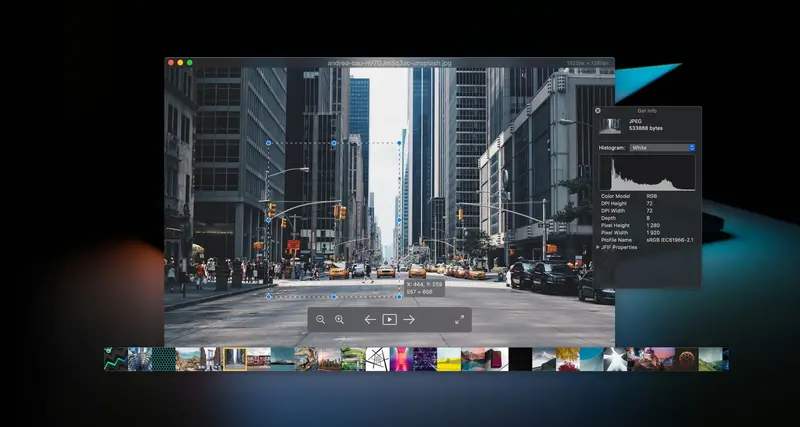
Pixea is a modern image editor & media viewer for macOS, featuring a clean, minimal interface.
Pixea works great with HEIC, JPEG XL, PSD, RAW, WEBP, MKV, MP4, and many other formats. Enjoy the all-new way to browse media folders and archives. Search, filter, sort, or shuffle your media. Remove defects and unwanted objects or upscale low-resolution images with AI-powered tools. Fine-tune your photos with hue, saturation, and tone adjustments. Add watermarks. Use the built-in Batch Editor to apply image adjustments to a set of images. Define keyboard shortcuts and trackpad gestures.
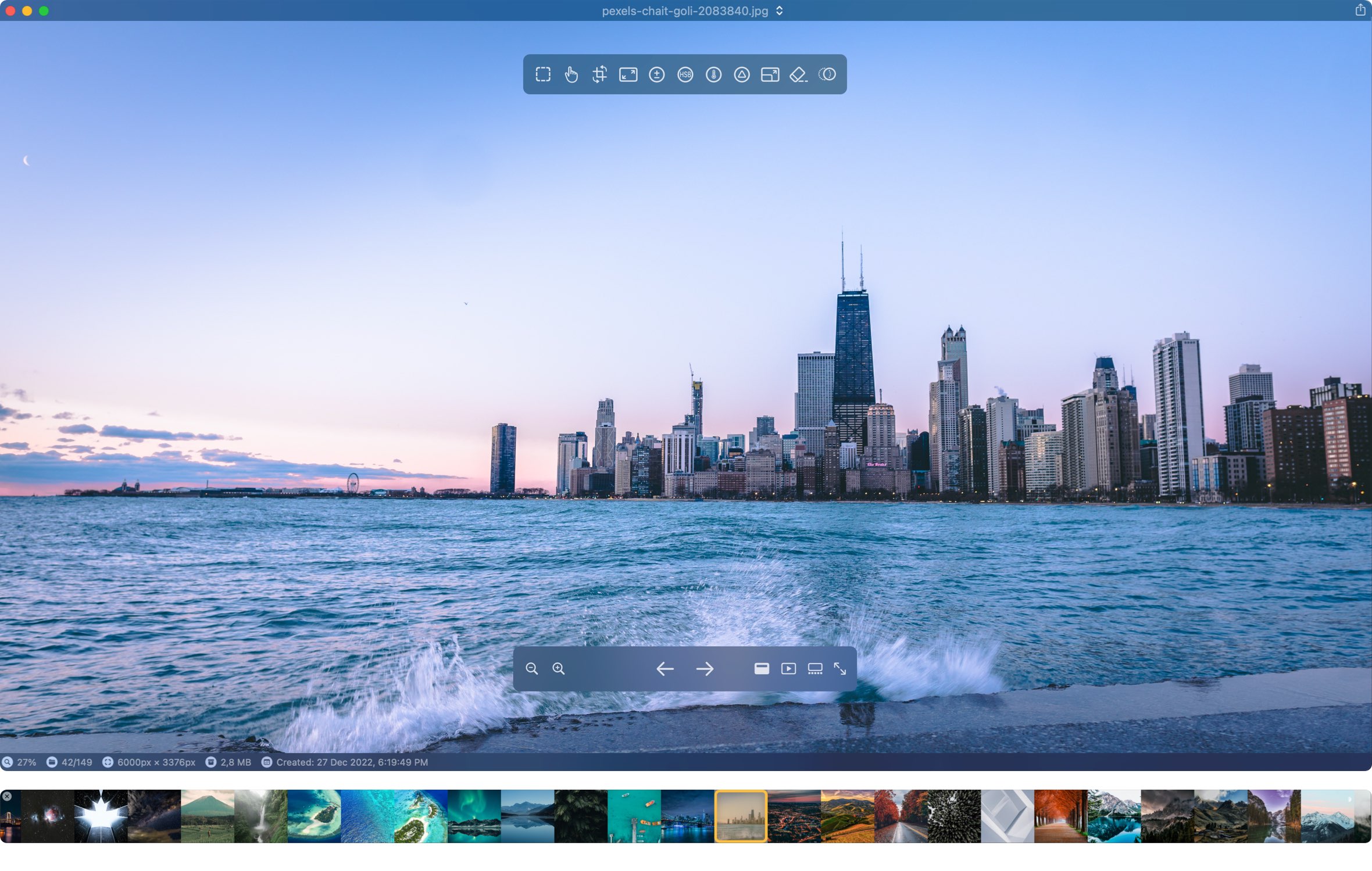
Image Editing
Adjust brightness, sharpness, reduce noise, crop, resize…
Pixea includes essential tools to enhance your images and photos.
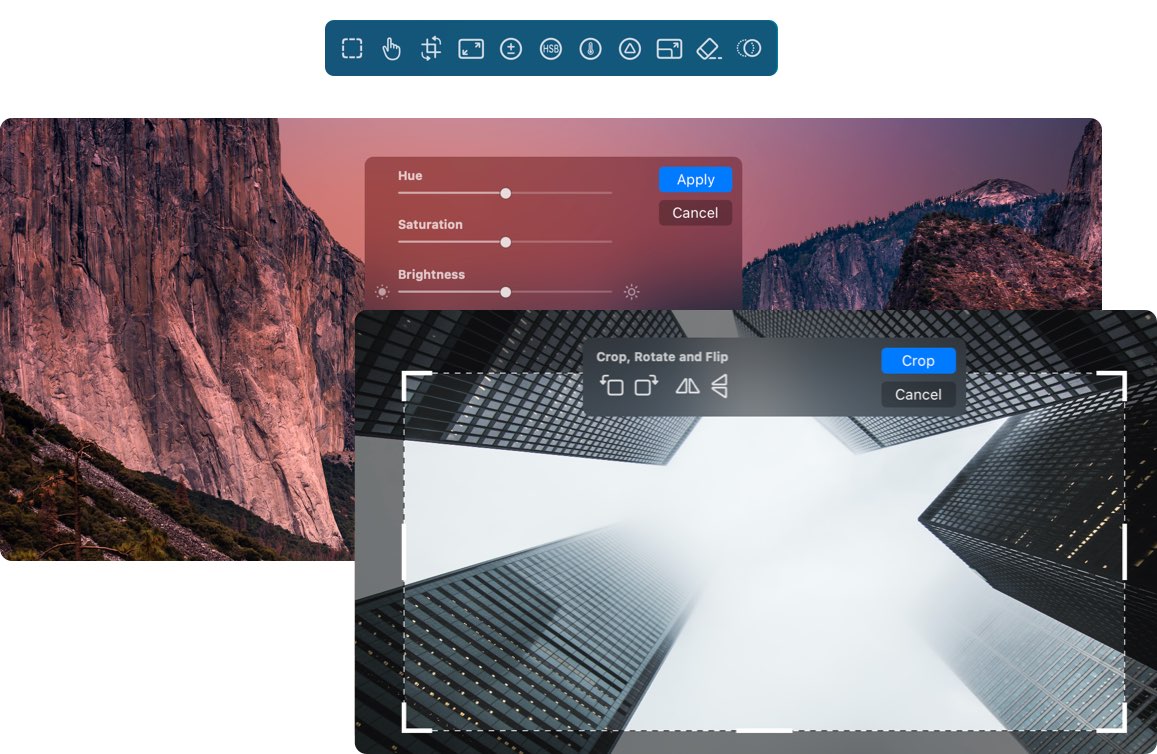
Adjustments and tools: Exposure, shadows, highlights, contrast, hue, saturation, brightness, color temperature, and tint. Sharpen and Denoise, Crop, Rotate, Flip, Clone, Resize, Straighten horizon, Perspective correction, LUT filters (30+ built-in), Color curves, HSL per color channel, and Watermark tools.
Supported Formats
Images
JPEG, HEIC, GIF, PNG, TIFF, JPEG XL, AVIF, Photoshop (PSD), BMP, Fax images, macOS and Windows icons, SCV sequences, Radiance images, and Google’s WebP. RAW formats: Leica DNG and RAW, Sony ARW, Olympus ORF, Minolta MRW, Nikon NEF, Fuji RAF, Panasonic RW2, Canon CR2, CR3 and CRW, Hasselblad 3FR. Sketch files (preview only). ZIP archives, CBZ comic books.
Video
MP4, MOV, A4V, FLV, AVI, WMV, MPEG and MKV.
Export
JPEG, JPEG-2000, JPEG XL, WebP, AVIF, HEIC, PNG, TIFF, BMP, GIF.
Pixea Plus
Enjoy more options, customizations and tools with Pixea Plus
Highlights
Actual Size
Set pixels or points
Keyboard Shortcuts
Customize any shortcut the way you want it
Thumbnails Panel
Set Size and Autohide options
4x Image Upscaling
Four times double the pixels using ML-powered algorithms
Trackpad Gestures
Customize swipe gesture for video playback
Status Bar
Status bar with resolution, date taken and other image properties
Object Removal Tool
Remove any object from your photo in a few brush strokes
Clone Tool
Clone pixels from another part of the photo
Sharpness and Noise Tool
Sharpen images and remove noise
Sorting
Sort media directories by name/type/size/date or shuffle
Searching
Search for images or videos in media directories or Zip-archives
Fitering
Filter media files by type or metadata
Batch Editing
Apply image adjustments to a set of images with global and per-image settings
Image Adjustments
Perspective correction, Color curves, HSL by color channel, Watermark, and other Pixea Plus tools
Pixea Free vs Pixea Plus: Feature breakdown
| Pixea Free | Pixea Plus | |
|---|---|---|
| Image formats and core features | ||
| All supported Image and Video formats | ||
| All supported export formats | ||
| Media browser | ||
| Slideshows | ||
| Group actions | ||
| Theatre mode | ||
| Similar images/duplicates search | ||
| Batch editing | 3 images only | No limit |
| Filtering | by Type only | by Type/Rating/Label |
| Searching | - | |
| Sorting | - | |
| On-screen display | - | |
| Status bar | - | |
| Options and customizations | ||
| Zooming options | ||
| Ignore hierarchy | ||
| Actual size | Pixels | Pixels/Points |
| Image filtering | Linear only | Linear/Trilinear/Lanczos |
| Thumbnail panel customizations | - | |
| Keyboard shortcuts | - | |
| Swipe gestures | - | |
| Image adjustment tools | ||
| Crop/Rotate/Copy | ||
| Hue, Saturation, and Brightness | ||
| Exposure | ||
| Color temperature | ||
| Straighten horizon | ||
| Focus/depth of field/Lens blur | ||
| Upscaling | 2x only | 2x/4x, details setting |
| Depth-aware exposure | - | |
| Depth-aware temperature | - | |
| Depth-aware saturation | - | |
| Objects removal | - | |
| Clone | - | |
| Hue, Saturation, and Brightness per selected color | - | |
| LUT filters | - | |
| Color curves | - | |
| Perspective correction | - | |
| Image overlay | - | |
| Watermark | - | |
| Noise/Sharpness | - |
Pixea Plus subscription helps us to support Pixea and add even more free features with every release.